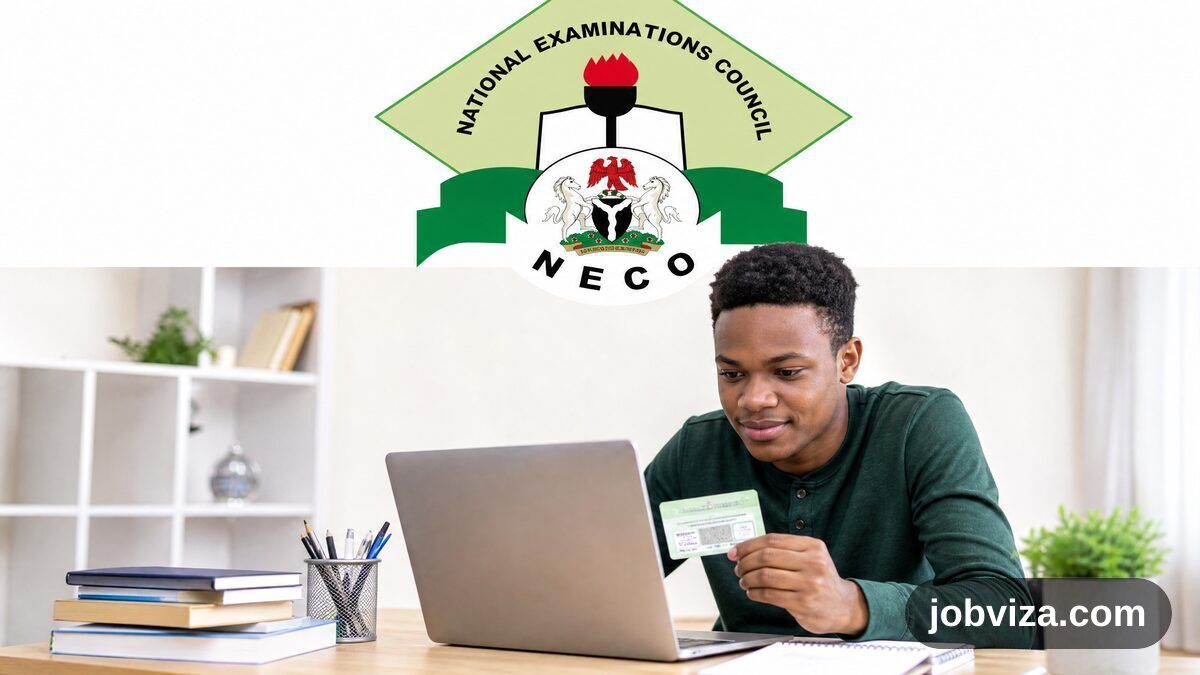
Checking your NECO result online is quick if you use the official results portal and have your token and registration number ready. This guide covers what the portal asks for, the order to fill it in, and what to do when a result does not show.
What you need before you start
- Your registration number.
- A result-checker token in the format 0000 0000 0000 (12 digits in three groups of four).
- The examination year and the examination type you sat.
- A phone or computer with a working internet connection.
Step by step on the official portal
Open results.neco.gov.ng directly. Do not use a link from a message, a social media post or a search ad, because fake checkers copy the look of the real portal.
- Select the examination year from the dropdown. Choose the year the exam was written.
- Select the examination type from the dropdown. The portal lists SSCE INTERNAL, SSCE EXTERNAL, BECE, NCEE and GIFTED.
- Enter your token in the 0000 0000 0000 format.
- Enter your registration number.
- Click Check Result once every field is filled.
Choosing the right examination type
A result is stored under the exam type it belongs to, so the wrong choice will not show your result. SSCE INTERNAL is for candidates entered through their school for the internal exam. SSCE EXTERNAL is the NECO-run senior secondary certificate exam taken at a centre. BECE is the basic education certificate exam at the end of junior secondary school. NCEE is the National Common Entrance Examination. GIFTED is also listed on the portal. If you are not sure which one you sat, check your registration slip or ask your school before you enter any details.
Choosing the right year
Pick the year the exam was written, not the year you collected the result or the year you are checking it. If the result does not appear, check the year first, because it is the most common reason a valid entry returns nothing.
Entering the token and registration number
Type the token exactly as printed, with the spaces in the right places. Type your registration number exactly as it appears on your slip. Do not add letters, extra spaces or characters that are not on the slip. If you mistype one digit, the check will fail, so read both entries back once before you click.
Why the Check Result button stays grey
The Check Result button is disabled until every field is filled. If it stays grey, one of the four fields is still empty. Go back through the year, the exam type, the token and the registration number and fill in whichever is blank.
Where to buy a token
The portal has a “Purchase token” link, and it leads to results.neco.gov.ng/login. The results page does not show a token price. For the current price and payment steps, check the official site before you pay anyone, and do not pay a person or an account that is not on the official NECO portal.
Scam warning
Fake result checkers are common around result release. Warning signs include a request to send your token by chat, a checker that asks for your bank or card details, a price shown only on a social media page, and a site address that is not results.neco.gov.ng. Never share your token with anyone who messages you first. If you think you have been scammed, stop, do not send more money and contact NECO through the official channels.
If your result does not appear
Work through these checks in order. First, confirm the examination year and the examination type. Second, confirm the token is typed exactly and has not already been used up. Third, confirm the registration number matches your slip. If all three are correct and the result still does not show, email support@neco.gov.ng with your registration number and the exam year. Do not send your token by email to anyone other than the official support address.
Keep a record of your result
Once your result shows, save a screenshot or print the page. Schools, employers and admission offices often ask for a clear copy, and a saved copy saves time later. Store your token and registration slip somewhere safe, because you may need them again.
Frequently asked questions
Can I check without a token? The portal asks for a token before it shows a result, so have one ready before you start.
Which email handles problems? support@neco.gov.ng is the support address shown on the portal.
Is there a price on the results page? No price is shown on the page. Check the official site for current cost details.
Checking on a phone or a computer
You can check on either device. A phone is often easier when you are on the move, but a computer with a larger screen makes it simpler to read the year and examination type dropdowns and to spot a typo. Whichever device you use, use the same browser for the whole check and avoid switching tabs in the middle of entering your token, because a page that reloads can clear what you typed.
Why a result can take time to appear
Results are released in batches, and some candidates see their results before others. If the portal does not show a result on your first try, that does not always mean something is wrong with your entry. Try again later in the day, and check that your entries are still correct before each try. Repeated wrong attempts waste the token you paid for, so slow down and read each field before you submit.
Reading your result correctly
When the result shows, read each subject and grade carefully and compare the name and registration number on the page with your slip. If a name, a subject or a grade looks wrong, do not assume the portal is correct or incorrect. Write down exactly what you see, take a screenshot, and contact NECO through support@neco.gov.ng with your registration number and the exam year so the mistake can be checked against the official record.
Using a token carefully
Treat your token like a password. Anyone who has your token and registration number can run checks in your name, so keep both private. Do not post your token on social media, do not paste it into a group chat and do not send it to a stranger who says they can check your result for you. If you have a token you do not need any more, keep it stored safely until you are sure you have finished checking, in case you need to confirm an earlier check.
Checking results for someone else
Parents, guardians and school staff sometimes check results for a candidate. If you do this, use the candidate’s own registration number and token, enter them exactly, and make sure the candidate knows the result has been checked. Never use a token that was not given to you for that candidate, and never ask someone else to share theirs with you.
Things that do not help
Some people share so-called shortcuts online, such as a token list, a “free” checker link or a request to pay through a personal account. None of these is part of the official process. Stick to results.neco.gov.ng, follow the steps above, and if something asks for money or private details that the official portal did not ask for, stop and check the official site before you go further.
Checklist before you click Check Result
- The examination year matches the year you wrote the exam.
- The examination type matches the exam you sat.
- The token is in the 0000 0000 0000 format and typed exactly.
- The registration number matches your slip.
- You are on results.neco.gov.ng, not a copied or shortened link.
Related guides
- How to Check Your WAEC Result Online: Official 2026 Guide
- JAMB Admission Status: Official 2026 CAPS Checking Guide
- UI Post-UTME 2026/27: Official Status and Admission Guide
- UNIBEN Direct Entry 2026: Official Status and Safe Guide
Once you have your result, think about how it fits your next step. Your grades feed into university admission alongside your UTME score, so compare them against the requirements for your intended course. If you are combining NECO with WAEC across two sittings, make sure the combination covers the required subjects for your course. Keep a clean printout and a saved copy, since schools ask for it during admission screening.
Frequently asked questions
Where do I buy the token? From NECO’s official channels. Avoid cheap tokens advertised on WhatsApp or Facebook.
My result says not available. Why? Check that your registration number and year are right. If it persists, reach NECO through the official portal.
Can my grades be upgraded for money? No. That is fraud. Do not pay anyone who claims to do it.
Source: NECO official results portal (results.neco.gov.ng). Confirm the current steps on the official site.
Reviewed by Miles Obi, Careers and Scholarships Editor at Jobviza.
You may also like: DELSU Post-UTME 2026: Cut-Off, Form and How to Apply
Waiting on another exam body? Here is the WAEC 2026 result release update.
Discover more from Jobviza
Subscribe to get the latest posts sent to your email.